
Bybit – API Import Guide
This guide explains how to create and bind a Bybit API Key (V3) to your trading platform.
By connecting your Bybit account via API, you can enable automated trading, AI Trading strategies, and real-time account synchronization securely.
⚠️ Important Notes Before You Start
Please read carefully before creating an API key:
- ✅ Bybit API keys do NOT allow withdrawals (if configured correctly)
- ❌ Never share your API Key and Secret Key
- 🔐 Strongly recommended to enable IP Whitelist
- 🧠 Recommended: use a sub-account or Unified Trading Account for API trading
Step 1: Log in to Bybit
- Visit the official Bybit website
👉 https://www.bybit.com - Log in to your account
- Make sure 2FA is enabled
📸 Screenshot Example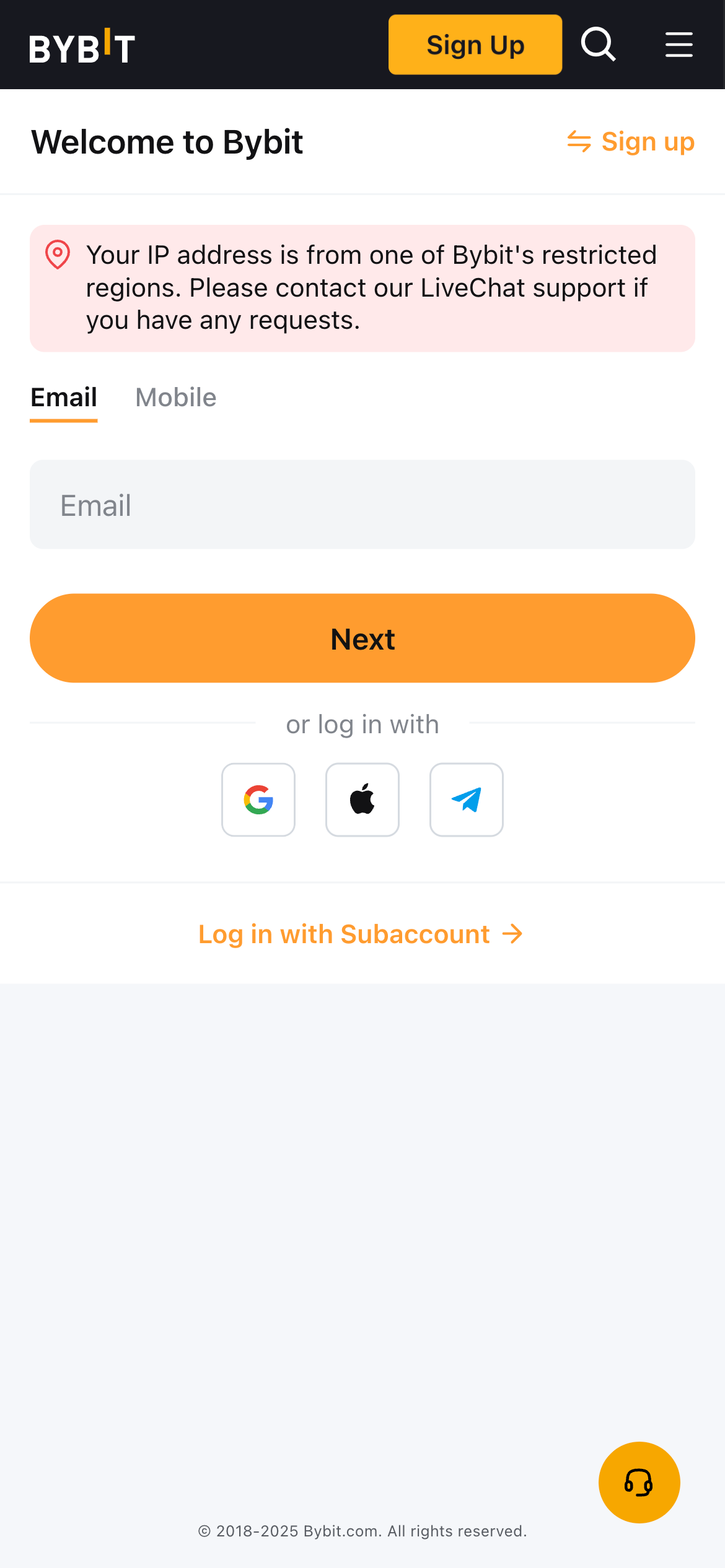
Step 2: Navigate to API Management
- Click your profile avatar (top-right corner)
- Select Account & Security
- Click API Management
📸 Screenshot Example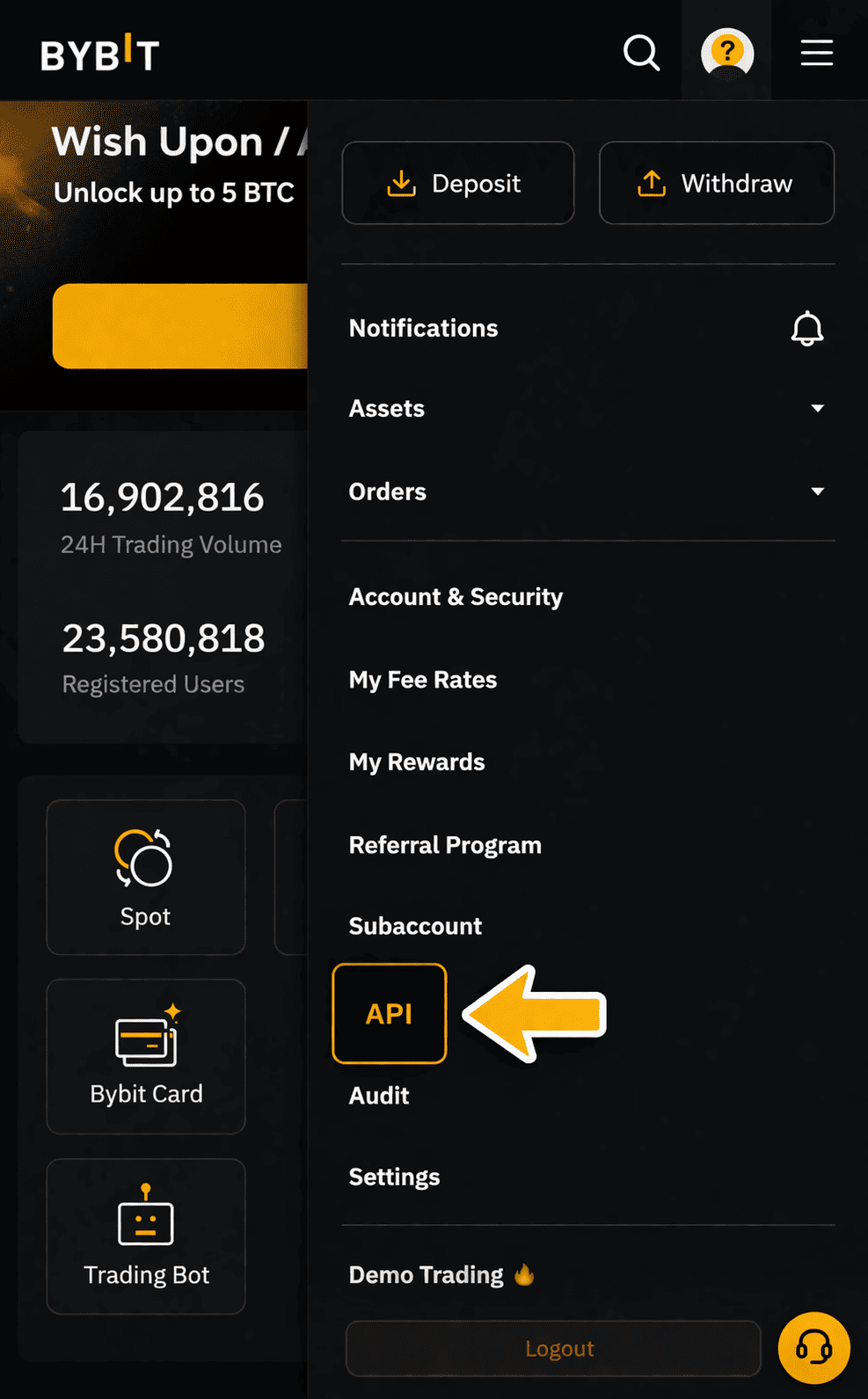
Step 3: Create a New API Key
- Click Create New Key
- Select System-generated API Key
- Choose API Usage:
- Trading API
- Enter an API Name, for example:
📸 Screenshot Example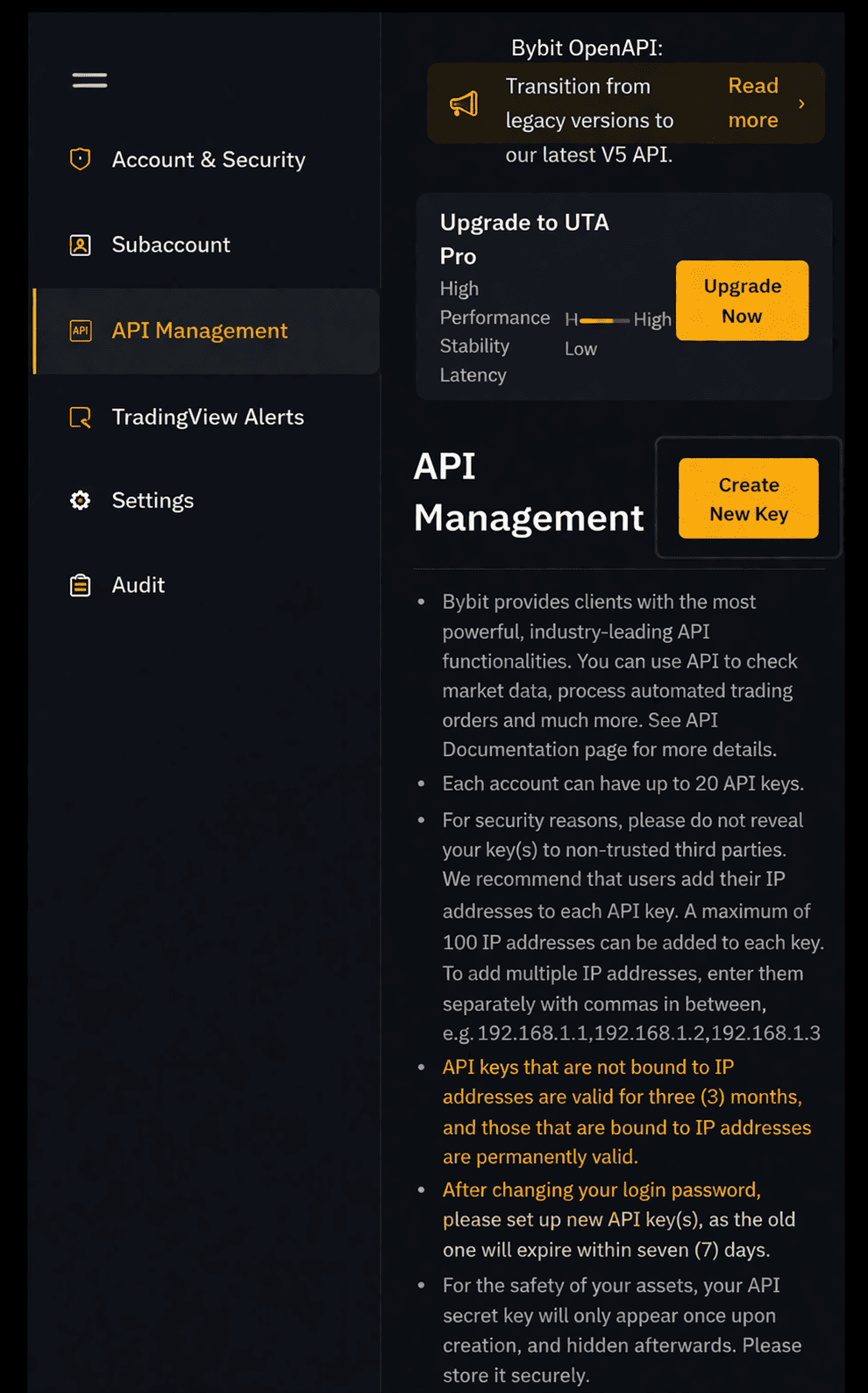
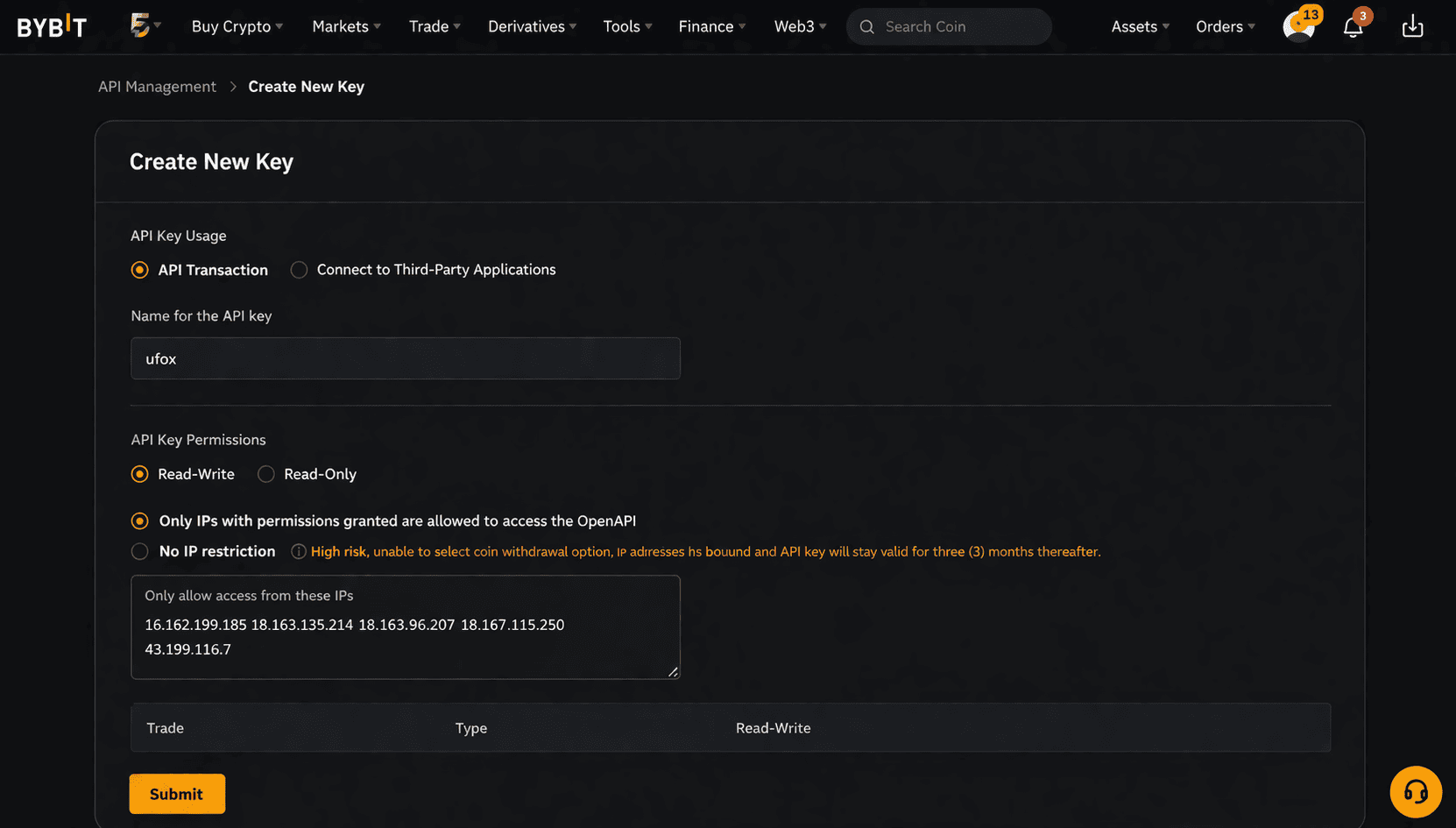
Step 4: Configure API Permissions (Very Important)
✅ Required Permissions (Typical AI Trading Setup)
- ☑️ Read-Only
- ☑️ Trade (Spot)
- ☑️ Trade (Derivatives)
Enable permissions based on your strategy type
❌ Must Be Disabled
- ⛔ Withdraw
- ⛔ Asset Transfer
📸 Screenshot Example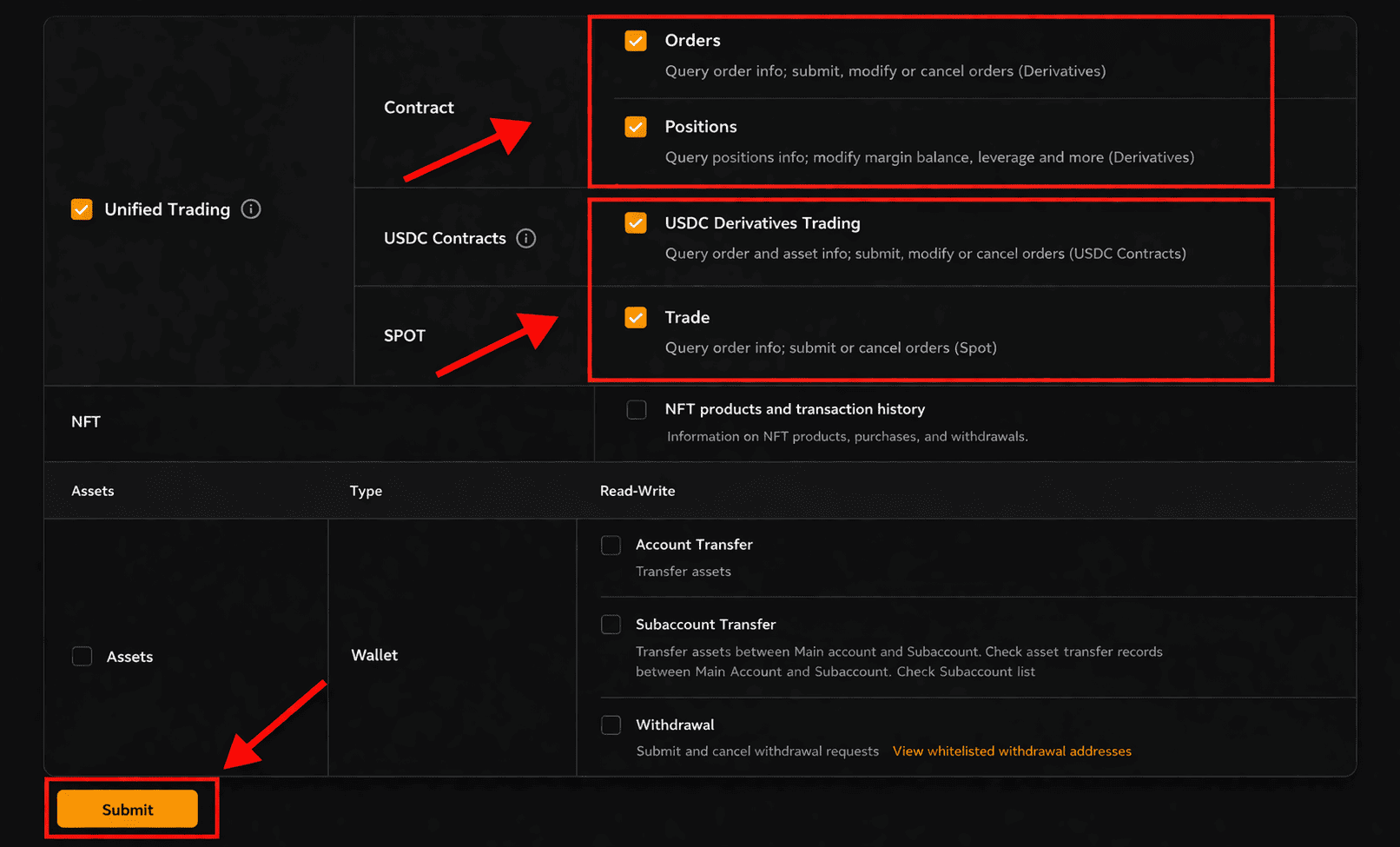
Step 5: Set IP Whitelist (Strongly Recommended)
- Enable IP Restriction
- Add the platform’s official IP addresses
(provided by your trading platform)
📸 Screenshot Example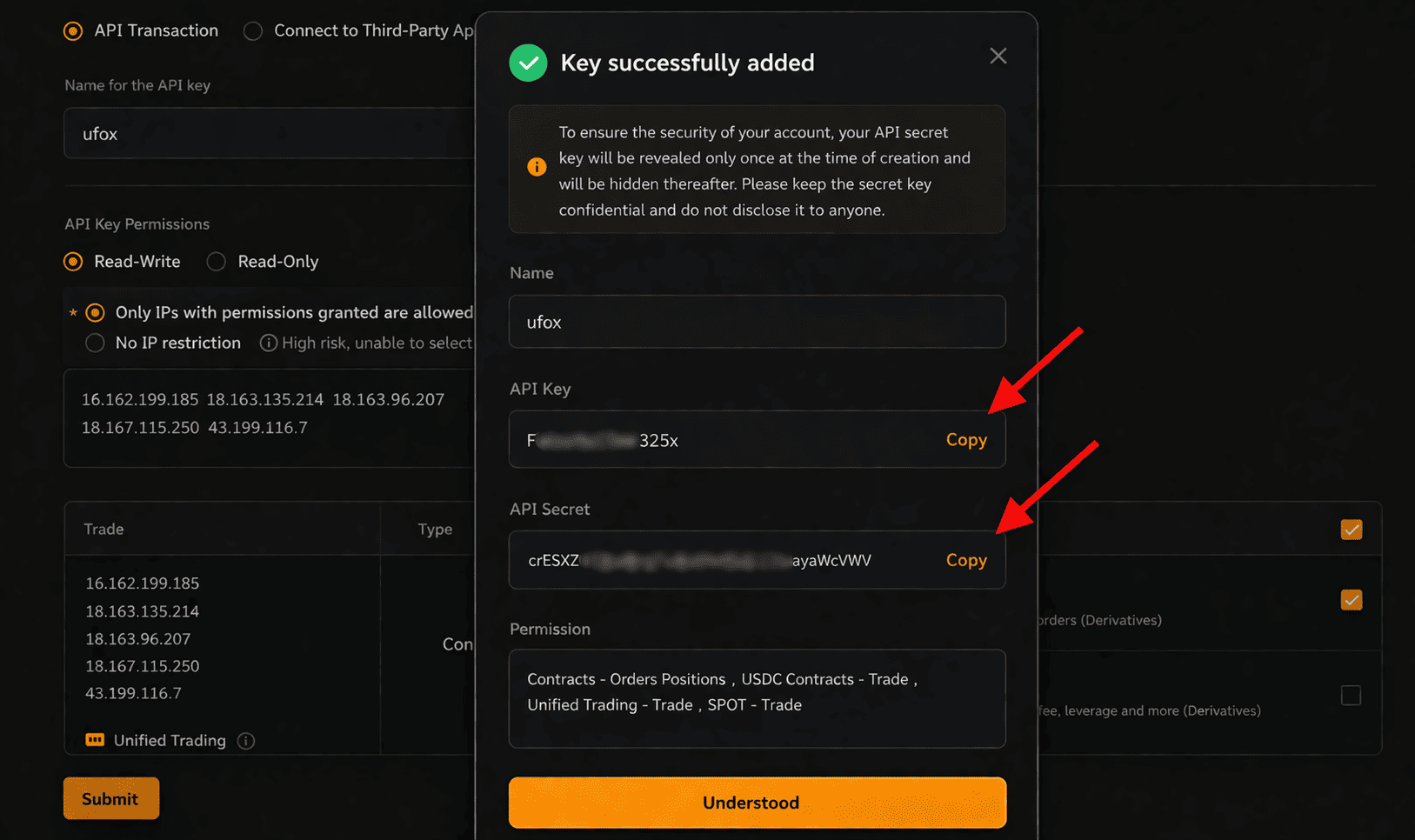
If IPs are not available yet, you may temporarily disable IP restriction
and update it later.
Step 6: Complete Security Verification
- Confirm via Email Verification
- Confirm via Google Authenticator / SMS
After verification, Bybit will generate:
- API Key
- Secret Key (⚠️ shown only once)
📸 Screenshot Example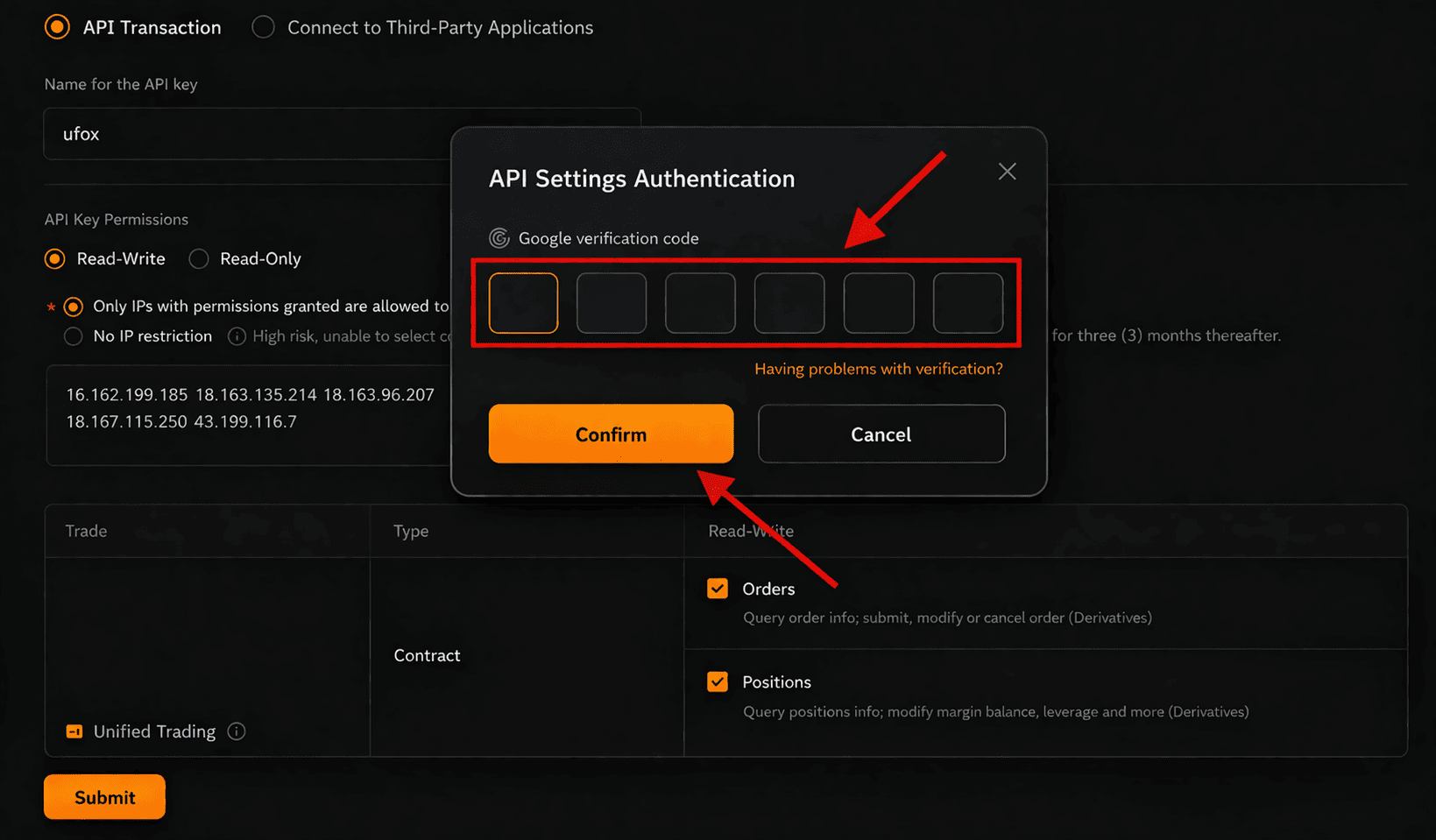
⚠️ Save the Secret Key securely.
If lost, the API must be deleted and recreated.
Step 7: Bind API Key on the Trading Platform
- Go to UFOX Home Page → API on your trading platform
- Select Bybit as the exchange
- Enter:
- API Key
- Secret Key
- Select trading scope:
- Spot / Derivatives / Both
- Click Bind / Connect
📸 Screenshot Example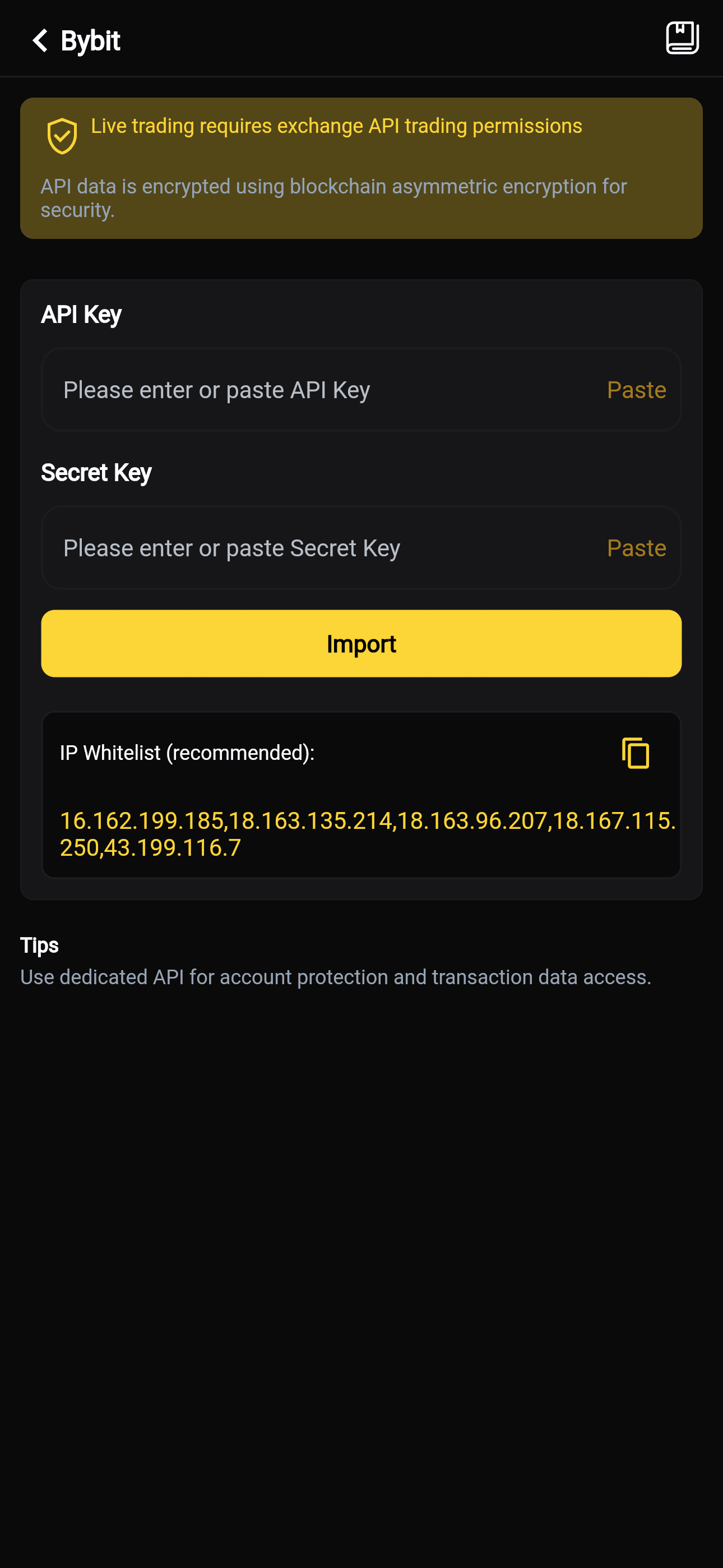
Step 8: Verify Connection Status
After successful binding, you should see:
- ✅ API Status: Connected
- 📊 Account balance synced
- 🤖 Strategies available for execution
Common Errors & Solutions
❌ Invalid API Key or Secret
- Check for extra spaces
- Ensure correct API version (V3)
- Recreate the API if the secret was lost
❌ Permission Denied
- Ensure Trade permission is enabled
- Derivatives strategies require Derivatives Trading permission
❌ IP Not in Whitelist
- Add platform IP to Bybit whitelist
- Or disable IP restriction temporarily
Security Best Practices
- 🔐 Use a dedicated sub-account
- 🔄 Rotate API keys periodically
- 👀 Review API activity logs in Bybit
- 🛑 Delete API immediately if suspicious behavior is detected
FAQ
Does Bybit API support Unified Account?
Yes. Bybit API supports Unified Trading Account (UTA).
Can the platform withdraw my funds?
No. Withdrawal permission must remain disabled.
Can I modify API permissions later?
Yes. You can edit permissions anytime in API Management.
🎯 Finished
Your Bybit account is now successfully connected.
You can start automated and AI Trading with confidence.
For more exchange guides, please refer to other API import documentation.