
Register
This page UFOX Register Guide.
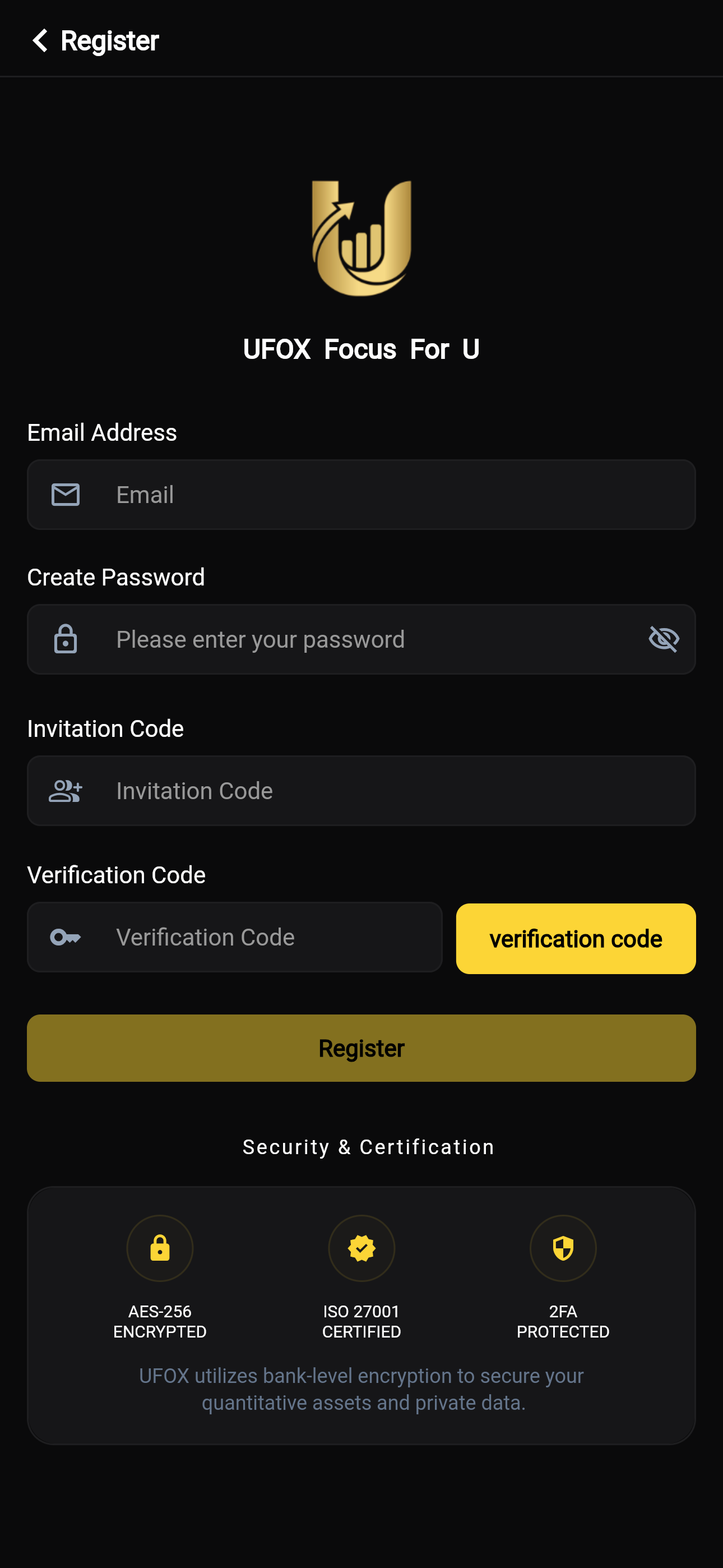
UFOX Account Registration Guide
Welcome to UFOX (Focus For U)! To ensure the security of your assets and data, please follow the steps below to complete your account registration.
📝 Step-by-Step Registration Guide
1. Enter Email Address
- Enter your primary, valid email address into the "Email" input field. This email will serve as your login account and will be used to receive important security notifications.
2. Create Password
- Set your account login password in the "Please enter your password" input field.
- Tip: You can click the "eye" icon (visibility toggle) on the right side to view your entered password in plain text, ensuring you have typed it correctly.
3. Fill in Invitation Code
- If you are registering through a friend's referral or a specific promotional campaign, please enter the corresponding code into the "Invitation Code" input field. (If you don't have one, this step is typically optional unless specified otherwise).
4. Obtain and Enter Verification Code
- First, click the yellow "verification code" button on the right.
- The system will send an email containing a security code to the email address you just provided.
- Please check your inbox (and spam folder) and enter the received code into the "Verification Code" input field on the left.
5. Complete Registration
- After confirming that all the information above is filled out correctly, click the large gold "Register" button at the bottom of the form to successfully create your UFOX account.