
Add UFOX.ai to Home Screen (PWA)
Install ufox.ai as a Progressive Web App (PWA) on your phone for quick access — like a native app.
Android
- Open Chrome and visit https://ufox.ai
- Tap the ⋮ menu (top-right)
- Tap "Add to Home screen" or "Install app"
- Confirm by tapping "Add" or "Install"
The UFOX icon will appear on your home screen. Tap it to open the app directly.
📸 Example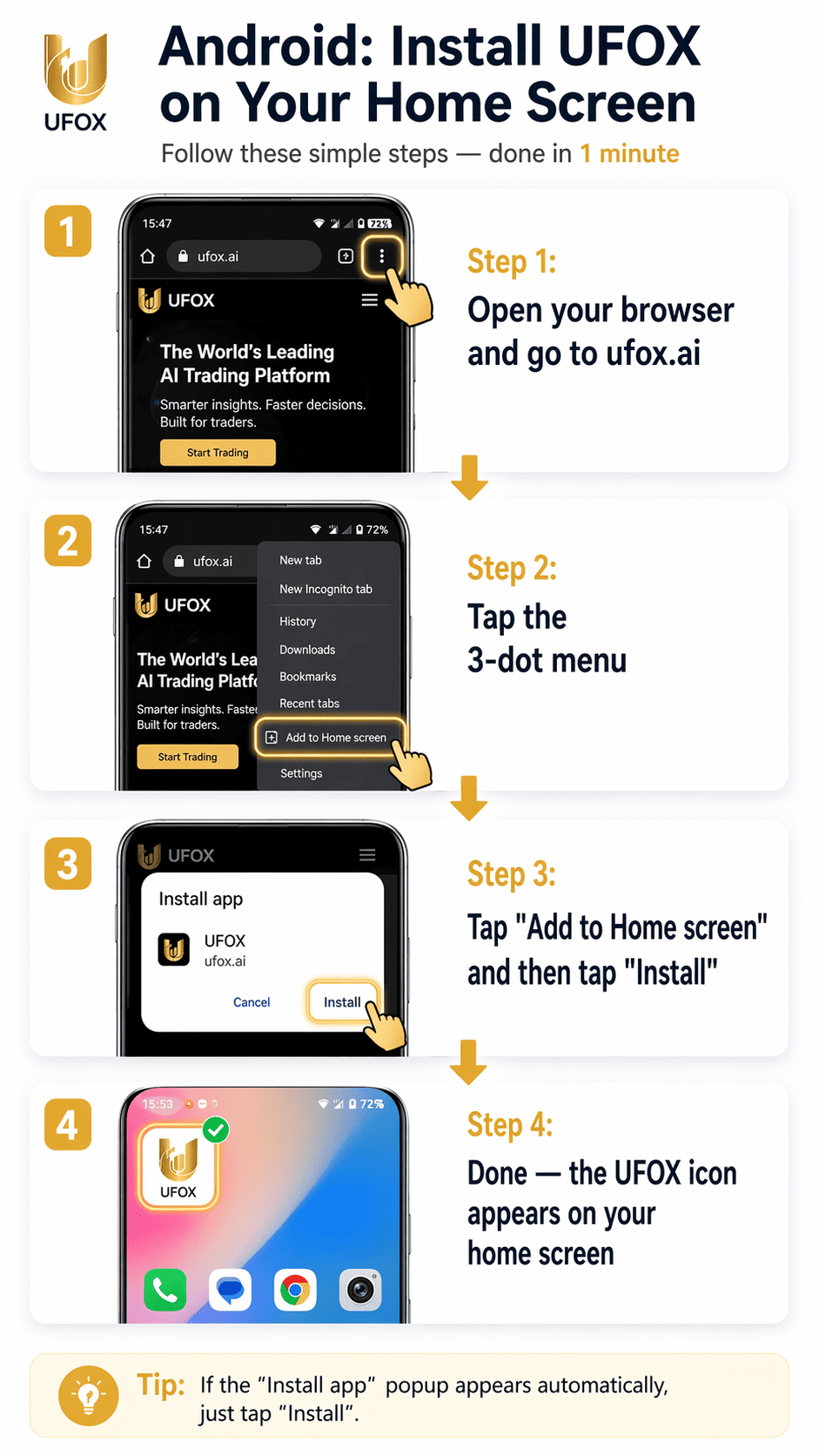
iOS (iPhone / iPad)
- Open Safari and visit https://ufox.ai
- Tap the Share button (square with arrow pointing up)
- Scroll down and tap "Add to Home Screen"
- Edit the name if needed, then tap "Add"
The UFOX icon will appear on your home screen. Tap it to open the app.
📸 Example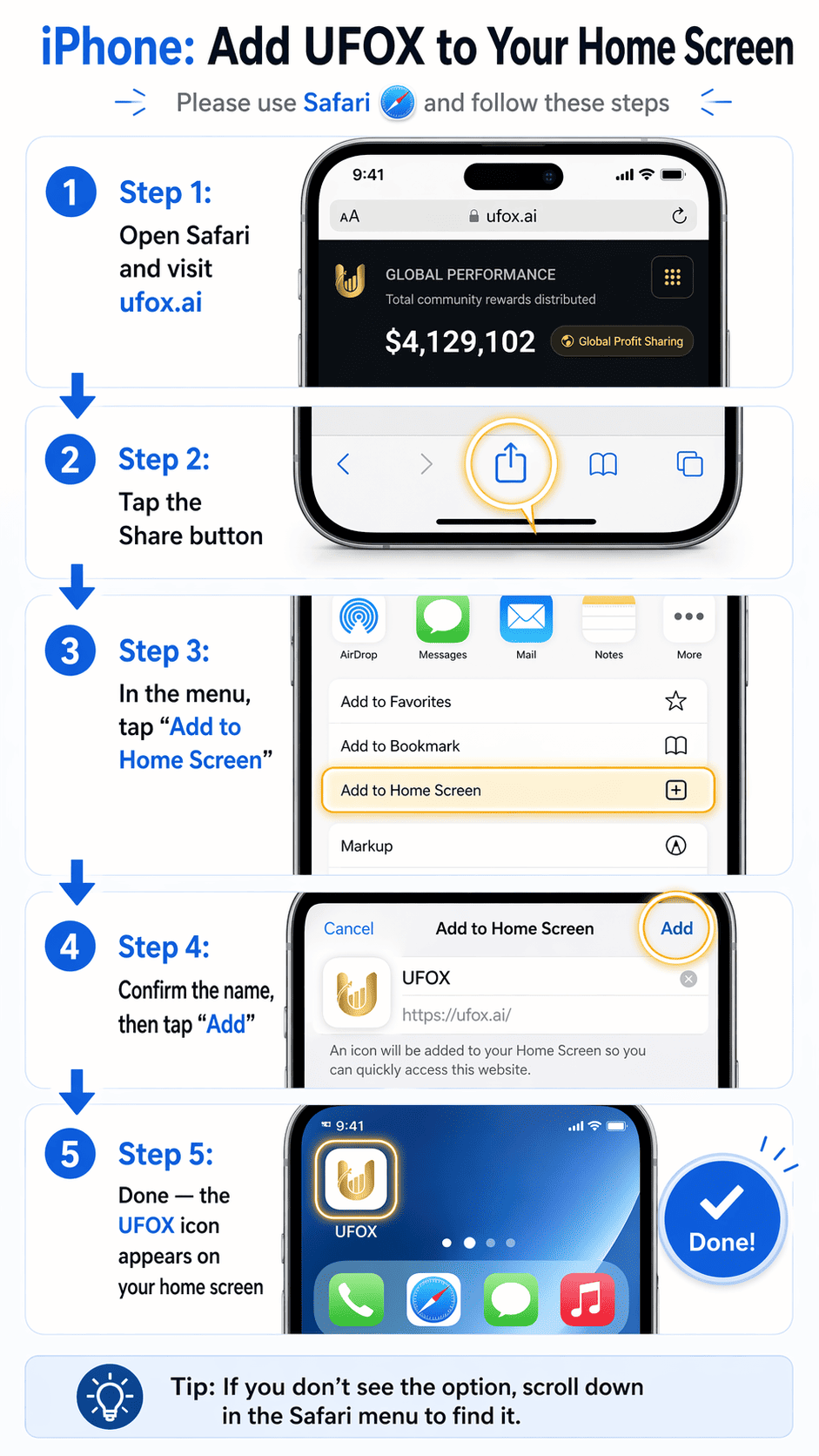
Telegram Mini App — Add to Home Screen
UFOX is available as a Telegram Mini App. You can add it to your device home screen for quick access.
👉 Launch now: https://t.me/ufox_ai_bot
Android
- Open Telegram and open the UFOX Mini App via @ufox_ai_bot
- Tap the ⋮ menu or Open in browser
- In the browser view, tap "Add to Home screen" or "Install app"
- Confirm to add the shortcut
The UFOX icon will appear on your home screen and open the Mini App directly.
📸 Example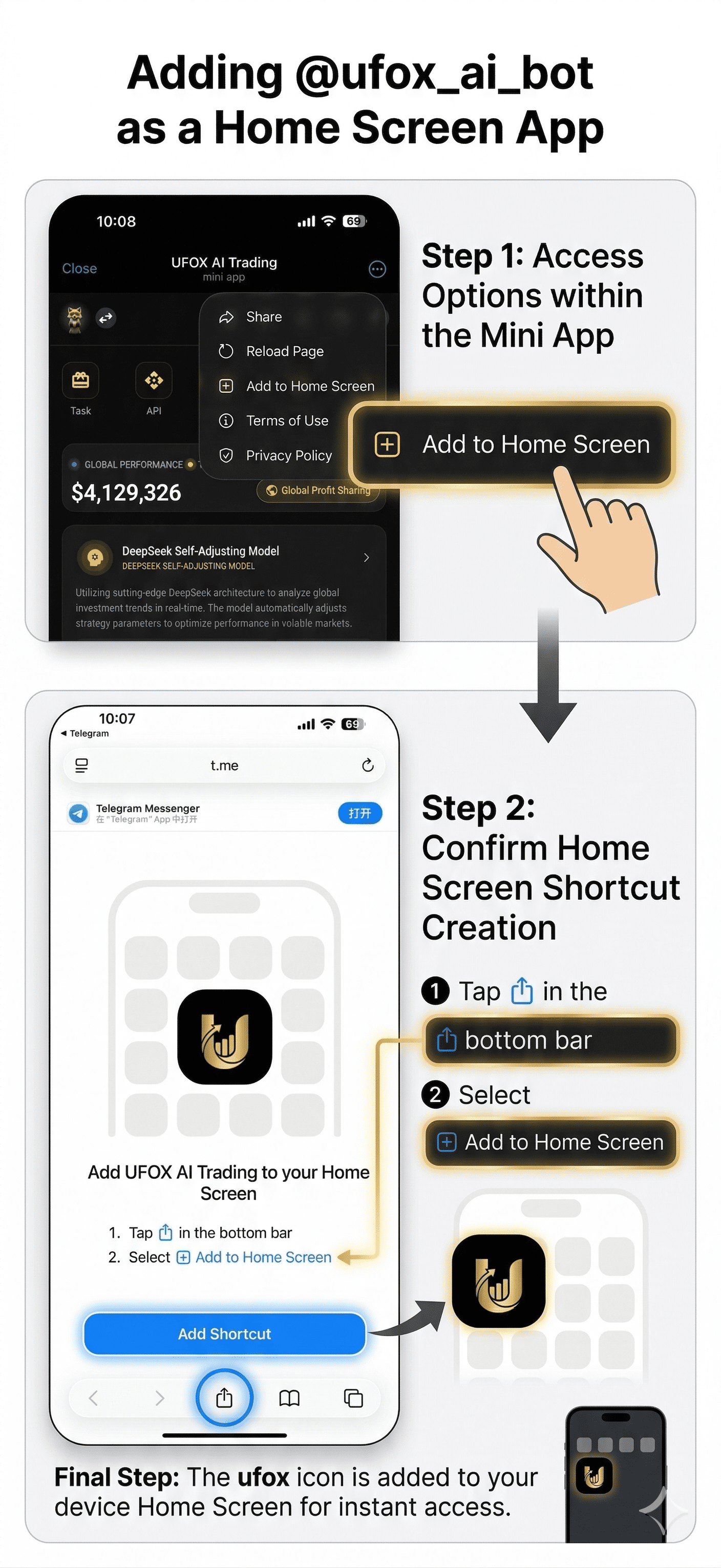
iOS
- Open Telegram and open the UFOX Mini App via @ufox_ai_bot
- Tap Share → Add to Home Screen
- Edit the name if needed, then tap Add
Desktop
On Telegram Desktop, the Mini App stays in your recent list. Pin it or use the attachment menu for quick access when chatting.
Notes
- Use Chrome on Android and Safari on iOS for the best PWA support
- The PWA runs in a standalone window without the browser address bar
- Telegram Mini App can be added to home screen for quick access
- Notifications and offline features depend on the app implementation